
Poodll offers a 30 day free trial. Each plugin needs an API user and secret in it's admin settings page. The free trial will create an API user and secret for you. The same API user and secret work for all the Poodll plugins, so you only need to take one free trial. To take the free trial ..
1) Install any of the Poodll plugins.
You can see the list of plugins and download them from the Moodle Marketplace. If no API user or secret has yet been set, it will show a link to take a free trial in the settings, or in the plugin when you use it.
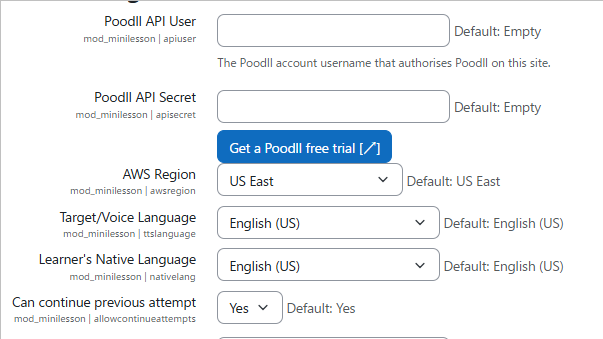
2) Click the "Get a Poodll free trial" button.
It will open a new page in your browser. Your current page will stay open. Leave your current page open so you can easily paste in the API user and secret once the trial is set up.
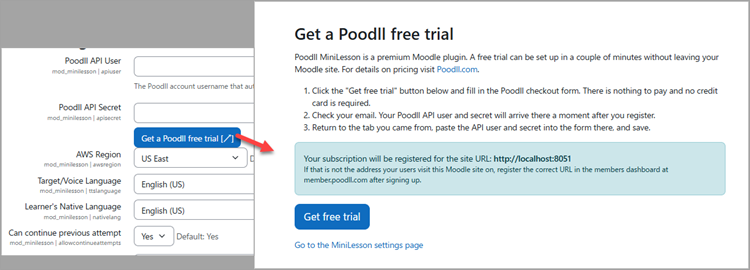
3) Read the instructions and click "Get free trial."
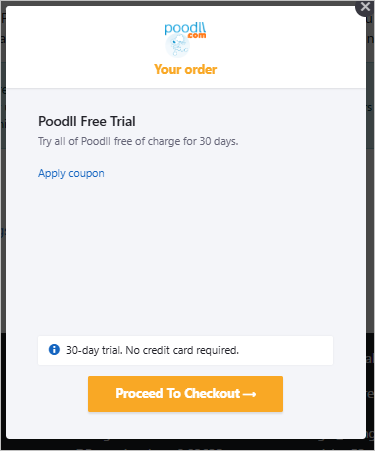
On the newly opened page, read the instructions and click "Get free trial." A popup will display for registering the free trial. You do not need to enter any credit card details or pay.
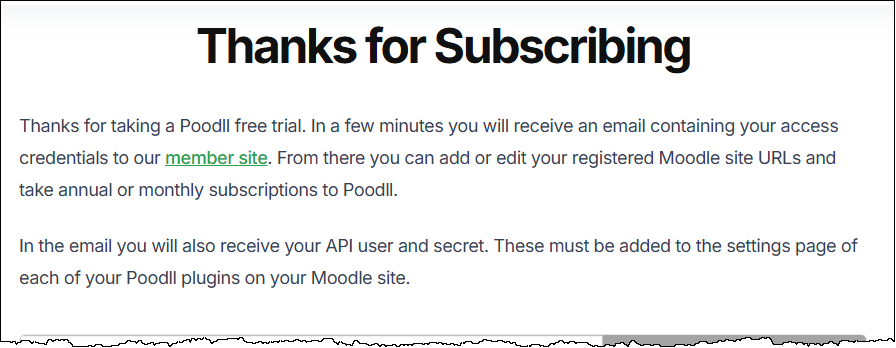
4) The thank you page
After completing the free trial registration you will be sent to a "Thank you" page.
5) Use your API user and secret
After a few minutes you will recieve an email containing your user name and password. Copy and paste those into the original page you came from.
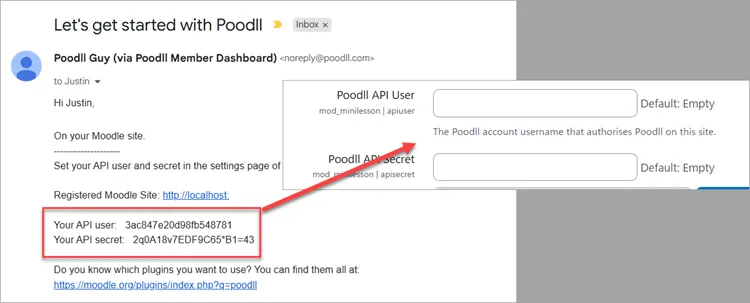
That's it! Your free trial will run for 30 days. After that any other Poodll plugin you install will detect the API user and secret and show you a button to set the API user and secret for you.